
Upcoming Dates
Train your team with Quanta. Private course delivery available. Contact us to discuss your options.

Effective IT Support & Troubleshooting for the Windows 11 Environment
Descriptions
Who is this course for
- Desktop support technicians (Tier 2) and IT admins responsible for Windows 11 clients
- Individuals familiar with networking fundamentals (TCP/IP, DNS), Active Directory, and basic Windows client OS administration
Purpose of the course
The purpose of this course is to equip IT professionals with the essential knowledge and practical skills required to manage, maintain, and troubleshoot Windows 11 in real-world environments. With Windows 11 introducing a range of new features, a redesigned interface, and enhanced security frameworks, this training ensures that support teams are prepared to handle the evolving challenges of modern desktop management. The course focuses on hands-on problem-solving and structured troubleshooting, enabling participants to support end users effectively and keep systems running securely and efficiently.
You will learn how to
- Apply a structured troubleshooting methodology tailored for Windows 11
- Troubleshoot startup issues and use Recovery Environment tools
- Diagnose hardware and device driver problems
- Administer Windows via PowerShell, Remote Desktop, and Windows Admin Center
- Resolve network connectivity and VPN issues
- Configure Group Policy and troubleshoot policy application
- Secure Windows 11 using BitLocker, Credential/Exploit/Application Guard, Windows Hello, and Secure Boot
- Manage user state (UE-V, folder redirection) and resource access (files, printers)
- Deploy and troubleshoot desktop and UWP apps, AppLocker, and Kiosk mode
- Monitor system performance, manage updates, and maintain optimal operation
Benefits for you as an individual
Participants will gain a deep understanding of Windows 11's capabilities, including how to navigate its user experience, leverage built-in tools for diagnostics, and implement security features confidently. By completing this course, individuals will strengthen their technical troubleshooting approach and become more efficient at resolving issues related to hardware, networking, applications, and group policy. These new competencies will empower learners to provide faster resolutions, reduce support bottlenecks, and advance in their roles as reliable IT professionals.
Benefits for your organisation
For organisations, this training translates into stronger frontline IT support, reduced downtime, and improved system reliability. Teams trained in Windows 11 support will be better equipped to manage desktop environments proactively, identify root causes more quickly, and implement effective long-term solutions. As businesses transition to Windows 11, having skilled professionals on staff will ensure a smooth migration, enhance endpoint security, and maintain high productivity across departments.
Prerequisites
- Experience with Windows 10 or 11
- Introductory knowledge of Windows Server (AD DS)
- Basic networking concepts
Module 1: Introducing Windows 11
- Overview of new features and UI changes since Windows 10
- Understanding hardware requirements and upgrade blockers
- Installing and deploying Windows 11
- Tools overview: Task Manager, Resource Monitor, Performance Monitor, Settings
Module 2: Administering Windows 11 Remotely
- Remote Desktop, Quick Assist
- Using Windows Admin Center
- PowerShell remoting and provisioning methods
Module 3: Troubleshooting Startup & System Recovery
- Windows RE and BCD fundamentals
- Recovering BitLocker volumes
- Registry editing and OS service troubleshooting
Module 4: Troubleshooting Devices & Drivers
- Hardware diagnostics
- Driver installation and failure resolution
- GPO settings affecting device behavior
Module 5: Configuring & Troubleshooting Networking
- IPv4/IPv6, subnetting, DNS troubleshooting
- Wired/wireless connectivity
- VPN and remote access issues
Module 6: Group Policy Troubleshooting
- GPO application flow
- Group Policy and Intune
- Common policy failures and resolution methods
Module 7: Configuring & Troubleshooting Security Settings
- Secure Boot, TPM, UEFI basics
- Credential Guard, Exploit Guard, Windows Hello authentication
- Firewall management and sign-in tr
Book Your Course
Start Date
Venue
Availability
Cost
Course confirmed - Guaranteed to run
Course Full/Limited availability
Price shown excluding VAT.
Get Started
Forget trawling through endless course catalogues – Find the training that’s right for you
Learn MoreLatest News from Quanta
New Webinar: The AI Turning Point. Are We Ready to Lead?
The AI Turning Point: Are We Ready to Lead? AI is everywhere – this isn’t news. BUT the mass adoption…
Read More
Just Launched: ITIL® AI Governance
Quanta is very excited to be launching the ITIL AI Governance module with our partners at PeopleCert! ITIL AI Governance…
Read More
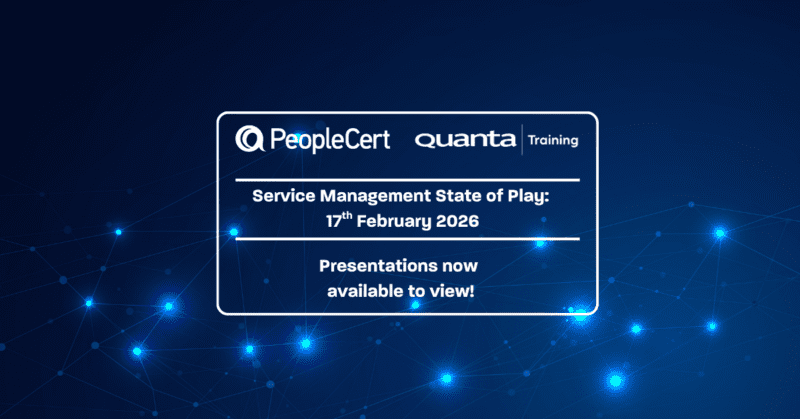
Service Management State of Play: All talks available to watch now.
Following the recent Service Management State of Play event in collaboration with PeopleCert, we are pleased to share the presentations…
Read More