
Implementing & Administering Cisco Network Devices (Extended Programme)
Course Code: IAA10EXT
No Upcoming Events
No upcoming Scheduled Courses. Contact us for information on booking a private course or join the waiting list for a public event.
Contact Us
Implementing, configuring, administering & troubleshooting Cisco network solutions at a considered pace
Descriptions
Who is this course for
Anyone working within an IT environment who is responsible or involved in supporting and installing Cisco routers and switches. Or anyone who wishes to gain the CCNA (Cisco Certified Network Associate) qualification.
The job roles best suited to the material in this course are:
- Entry-level network engineer
- Network administrator
- Network support technician
- Help desk technician
Purpose of the course
Our extended programme is designed to cover all the knowledge that is needed for CCNA Routing & Switching but in addition will run the recommended self-study in an instructor-led envirnment allowing more opportunities to ask questions and gain additional support around the exam and any topics you require.
You will learn how to
Programme Cisco switches and routers using the IOSDesign and troubleshoot IP subnets
Design and assign interfaces to VLANs
Apply routing protocols; RIP; OSPF; EIGRP
Backup and restore configurations and the operating system using a TFTP server
Benefits for you as an individual
Over our standard Cisco course our extended programme will give you the additional benefit of spending far longer hands on with the equipment and gaining a more intimate understanding of setting up these devices and troubleshooting them; as well as more face-to-face time with a industry and Cisco expert to answer any questions you may have.
Benefits for your organisation
The course aims to demystify Cisco configuration and troubleshooting; it covers a wide spread of topics: from configuring the IOS and IP addressing, to setting up VLANs and setting up routing protocols. After the course, the individual will feel confident in configuring a Cisco switch or router in typical situations.
Prerequisites
This extended programme will take people through the content at a slower pace but a good understanding of networking concepts is still required. This can be gained from attending our CompTIA Network+ course.Networking Concepts
- Networking Concepts
- Types of Network
- Network Topologies
- Media Access Methods
- Contention Based Access Methods
- Cabling
- Serial Cables
- Network Hardware
- Network Devices
- Bridges
- Routers
- The OSI 7 Layer Model
- Structure of the OSI Reference Model
- Introduction to the Different Layers
- The Network Layer
- The Data Link Layer
- The Physical Layer
- Data Flow Through the OSI Model
- The OSI Layers in detail
- Presentation Layer
- Session Layer
- The Transport Layer
- Error Checking
- The Network Layer
- The Data Link Layer
- The Physical Layer
- Mnemonics
- Cisco 3 Layer Model
TCP/IP
- The TCP/IP Model & Common Protocols
- Transport Layer Protocols
- TCP/UDP / Ports / Transmission Types
- IP & IP V4 Addresses
- Converting Decimal into Binary
- Classes of IP Address
- How subnet masks work
- ANDing an IP Address
- Default Masks and Host Range
- Private IP Address Ranges
- Network Address Translation (NAT)
IP Addressing and Subnetting
- IP Addresses and Subnetting
- Classless InterDomain Routing
- Subnetting & Class B addresses
- Finding The Increment Value
- Subnetting in your Head
- Determining How Many Hosts Are In A Host Range
- Subnetting Class C & Class A addresses
- Finding The Correct Subnet Mask
- Supernetting
- Binary to Decimal Conversion Table
- IP Version 6 Addresses
The Cisco IOS
- Getting Started With The Cisco IOS
- Booting/Setting Up The Router
- Using the Command Line Interface
- Command Line Levels
- Setting Up the Router
- Hostnames/Passwords
- Configuring IP Addresses
- Verifying The Configuration
- Cisco Discovery Protocol
- Saving The Configuration
- Ping and Telnet
- More IOS & Verification Commands
- Resetting the Command History
- Shortcut Commands
IP Routing
- IP/Dynamic Routing
- Administrative Distances
- Static Routes and configuration
- Default Routes and configuration
- Dynamic Routing
- Routing Loops and Information Protocol
- Configuring RIP
- Verifying The Configuration
- Configuring RIP Version 2
- Verifying The Configuration
- Passive Interfaces
Introducing OSPF and EIGRP
- Introducing EIGRP and OSPF
- EIGRP Terminology /Configuring EIGRP
- OSPF Terms
- Configuring & Verifying OSPF
- Show IP Protocols
- Configuring OSPF using the SDM &; Multiple Areas
Access Lists
- Access Lists/Standard Access Lists
- Extended Access Lists/Examples
- Controlling Access To A LAN
- Named Access Lists
- Verifying The Access List Configuration
IPv6
Wide Area Networking (WAN)
- Wide Area Networking/WAN Terminology
- Types of WAN Networks
- WAN Technologies
- Frame Relay
- Configuring/Verifying/Debug the PPP Configuration
- Frame Relay Terminology
- Virtual Private Networks
Layer Two Switching
- Layer Two Switching
- Switch Types
- Spanning Tree Protocol/Terminology
- Spanning Tree States/Port Costs
- Selecting The Root Bridge
- Configuring/Verifying Spanning Tree
- Configuring and verifying a 2950 Switch
- Port Security
Virtual LANs and Trunking
- Virtual LANS And Trunking
- VLAN Identification Methods
- Trunking / VLAN Trunking Protocol
- VTP Versions
- Verifying the VTP Configuration
- Routing Between VLANs
- Etherchannel
- Hot Standby Routing Protocol
Backing Up and Password Recovery
- Installing a TFTP Server
- Backing up/restoring The Configuration
- Backing up the IOS
- Password Recovery for the 2600 Series Router
Revision & Exam Prep
Instructor led session to prepare you to take the exam at a future date
Additional Exam Information
For those delegates who wish to back up the experience they gain on this course with an official qualification there is the option to buy an 200-301 CCNA exam voucher. This will certify knowledge and skills related to network fundamentals, network access, IP connectivity, IP services, security fundamentals, and automation and programmability. After you pass 200-301 CCNA, you earn CCNA certification.Get Started
Forget trawling through endless course catalogues – Find the training that’s right for you
Learn MoreLatest News from Quanta
New Webinar: The AI Turning Point. Are We Ready to Lead?
The AI Turning Point: Are We Ready to Lead? AI is everywhere – this isn’t news. BUT the mass adoption…
Read More
Just Launched: ITIL® AI Governance
Quanta is very excited to be launching the ITIL AI Governance module with our partners at PeopleCert! ITIL AI Governance…
Read More
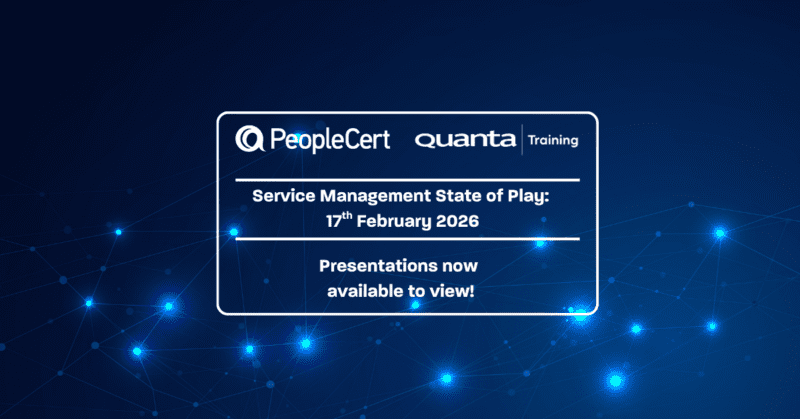
Service Management State of Play: All talks available to watch now.
Following the recent Service Management State of Play event in collaboration with PeopleCert, we are pleased to share the presentations…
Read More